In short
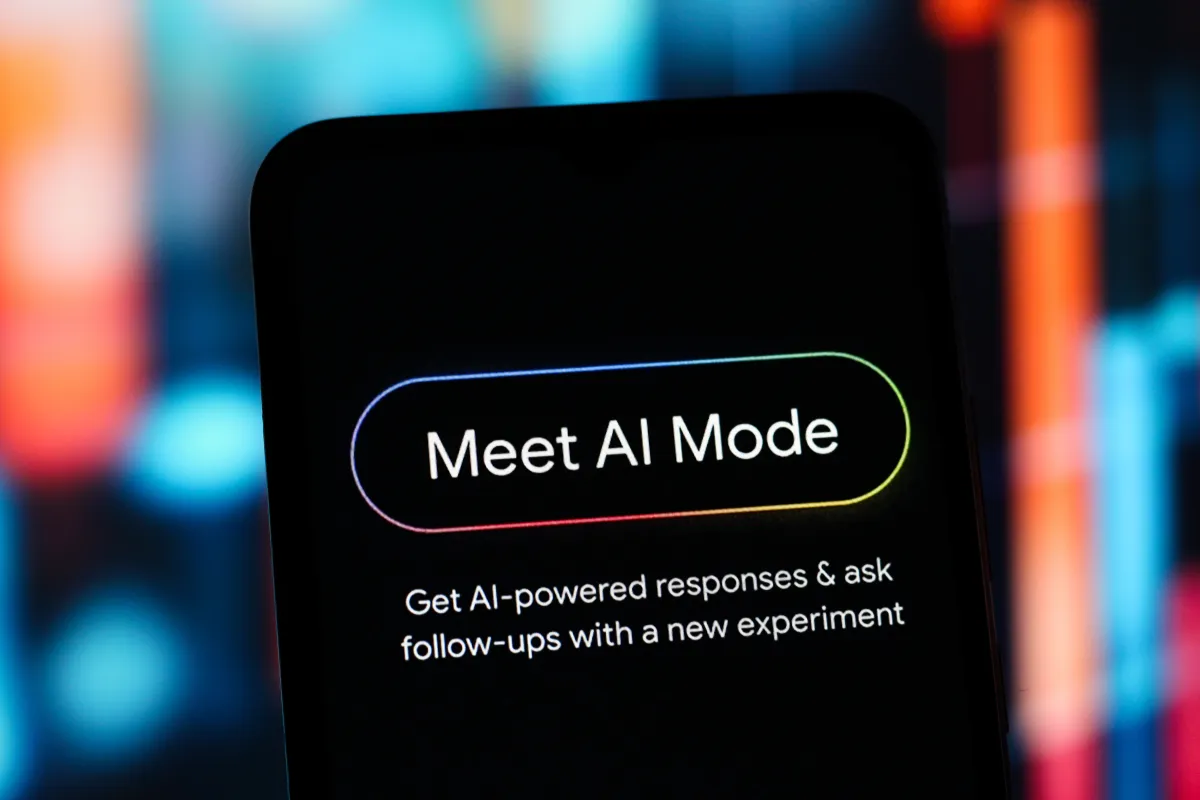
Google is rolling out app connections in AI Mode, starting with Instacart, Canva and YouTube in the U.S. The update lets users move from conversational prompts to real tasks like shopping, designing and saving music.
- AI Mode can now link to select apps and complete tasks, not just answer questions.
- Launch partners include Instacart, Canva and YouTube, with more support planned.
- The rollout is available in the U.S. and aims to make AI Mode more useful for everyday workflows.
- Google is also sharpening its competition with OpenAI and Anthropic, which already offer app integrations.
Google is expanding AI Mode with the ability to connect to select third-party apps, letting users complete tasks inside its conversational search experience instead of just getting answers. The rollout begins in the U.S. with support for Instacart, Canva and YouTube, a move that pushes AI Mode further into everyday planning, shopping and content creation.
The update matters because it turns Google’s AI Mode into more than a search helper. By allowing users to link apps and act on recommendations directly, Google is trying to make AI Mode stickier for practical tasks while sharpening its competition with OpenAI’s ChatGPT and Anthropic’s Claude, both of which already offer app integrations.
In practical terms, the change means a user can ask AI Mode to help with a dinner plan, a party playlist or a design project and then move from suggestion to action with fewer steps. Google says more app support is on the way.
What Google announced
Google said on Thursday that AI Mode can now connect with selected apps so users can do more than simply ask questions. The feature is being introduced first for Instacart, Canva and YouTube, with additional partners expected later.
AI Mode is Google’s conversational search interface, built to answer questions in a more interactive way than traditional search. Until now, its strengths have largely centered on summarizing information, refining answers and helping users explore the web with follow-up prompts. The new app-linking feature adds an execution layer.
That shift is important. Search products have increasingly become task platforms, and Google appears to be betting that the more work AI Mode can do inside its interface, the more often people will return to it for everyday needs.
How the new app linking works
How does it work? Google says users can connect supported apps to AI Mode and use the system to carry out actions across those services. In effect, AI Mode becomes a bridge between a conversational request and a real-world task completed in an external app.
Google offered several examples of what that looks like in practice.
If a user is planning a barbecue, they can build a grocery list in AI Mode and then pass ingredients into Instacart to add items directly to a cart for checkout on the app or website.
For design work, Google says someone could ask for flyer ideas and have Canva surface templates. For music, a user could create a playlist for a gathering and save it to YouTube Music.
The message is straightforward: Google wants AI Mode to become an assistant that not only recommends options, but also helps users finish routine digital chores.
Why these apps first?
Why did Google start with Instacart, Canva and YouTube? These apps map neatly to high-frequency consumer tasks that AI can help organize quickly: shopping, design and entertainment.
Each app also gives Google a visible, easy-to-understand use case. Grocery planning shows utility. Canva highlights creative assistance. YouTube and YouTube Music show how AI can translate ideas into media experiences people actually use every day.
- Instacart: grocery planning and cart building
- Canva: templates and design inspiration
- YouTube: playlists and music-related actions
How this compares with Gemini app integrations
How is this different from Google’s earlier app connections? Google launched a similar capability earlier this year for the Gemini app during Google I/O, allowing users to link third-party services to complete tasks faster.
That earlier feature included partners such as Canva, OpenTable, Spark and Instacart. The AI Mode rollout suggests Google is now extending the same general strategy into its search-focused experience, not just its standalone assistant app.
This distinction matters because AI Mode sits closer to the search habit users already have. If app integrations work there, Google could strengthen the link between information discovery and task completion in one place.
| Feature | Product | Purpose | Example partners | Current status |
|---|---|---|---|---|
| App linking in AI Mode | AI Mode | Let users act on prompts across selected apps | Instacart, Canva, YouTube | Rolling out in the U.S. |
| Third-party app support | Gemini app | Complete tasks through connected services | Canva, OpenTable, Spark, Instacart | Announced earlier in 2026 |
| Personalized responses | AI Mode | Use Google data for more tailored answers | Gmail, Google Photos | Launched earlier in 2026 |
Why Google is pushing AI Mode deeper into daily life
Why is Google doing this now? The company is trying to keep AI Mode relevant as users increasingly expect AI products to help with tasks, not just conversations.
The search giant also has a strategic business reason: if AI Mode becomes a place where people shop, plan and create, it can become a more central surface in Google’s ecosystem. That gives the company a better shot at retaining user attention while rivals build similar assistant-style experiences.
There is also a competitive angle. OpenAI and Anthropic have both promoted app integrations as a way to make their chatbots more useful. Google’s move suggests it does not want AI Mode to be seen as a catch-up product. Instead, the company appears to be presenting it as a practical, integrated workspace for everyday tasks.
How the competitive landscape is changing
How is Google positioning itself against ChatGPT and Claude? It is leaning into Google’s biggest advantage: distribution across search, Android and the broader Google account ecosystem.
Rather than asking users to move into a separate assistant tool, Google is embedding AI task completion into a familiar search-like environment. That could make adoption easier for mainstream users who want convenience without learning a new product workflow.
At the same time, the company is trying to close the gap on services that have already framed themselves as flexible, app-connected assistants. In a market where AI tools are converging on similar core functions, implementation and reach may matter as much as model quality.
What users can do with AI Mode now
What can users actually do? For now, the emphasis is on practical consumer tasks that involve a mix of information gathering and execution.
The examples Google provided show three distinct use cases:
- Shopping: Create a grocery list in AI Mode and transfer items to Instacart for purchase.
- Design: Ask for flyer ideas and browse Canva templates.
- Entertainment: Build a playlist and save it into YouTube Music.
These are small steps individually, but together they signal a bigger product shift. Google is moving AI Mode from a place where users ask questions to a place where they start and finish tasks.
Why task completion matters
Why does task completion matter so much in AI? Because every extra click, app switch or manual transfer is friction, and friction is what often prevents users from fully adopting AI tools.
If AI Mode can remove even a few steps from shopping or creative workflows, it becomes easier to see why a user would return to it over a standard search page or a separate app. That, in turn, can deepen engagement and make Google’s AI products more habit-forming.
What’s already changed in AI Mode this year
What has Google added before this update? Since launching AI Mode in early 2025, Google has steadily expanded its abilities.
Recent additions include the ability to check local inventory, allowing users to see whether something they need is available at a nearby store. Google also added a side-by-side browsing experience that lets users compare details and ask follow-up questions while keeping the search context intact.
Earlier in the year, Google introduced a feature it calls “Personal Intelligence,” which lets AI Mode draw on data from Gmail and Google Photos to produce more customized responses. That capability pushed the product closer to a personalized assistant tied into a user’s own digital life.
The new app-linking layer fits that pattern. Google is steadily broadening AI Mode from query answerer to contextual helper, then to personalized planner, and now to task executor.
Why this rollout is limited to the U.S.
Why is the rollout limited to U.S. users for now? Google has not provided a detailed public explanation, but phased launches are common for AI features that involve integrations, account permissions and regional product support.
Rolling out first in one market allows the company to monitor performance, user behavior and partner integrations before expanding more widely. It also gives Google a chance to refine the experience if users struggle with account linking, permissions or unclear handoffs between AI Mode and partner apps.
Google says it is working with a broader set of partners and plans to add more apps soon, suggesting this is the beginning of a larger expansion rather than a one-off experiment.
How big a shift is this for Google Search?
How big a shift is this for Google Search? It is one of the clearest signs yet that Google wants conversational search to become a workflow engine, not just a place for answers.
Traditional search has long been about helping users find pages. AI Mode is now moving toward helping them complete actions. That evolution could reshape how people think about search, especially if the product continues to absorb functions that once required multiple apps and manual coordination.
For Google, the stakes are high. Search remains the company’s core business, but the way people ask for information is changing. If users increasingly begin tasks in a chat-style interface, Google needs its AI products to feel indispensable, not optional.
That is why this update is about more than convenience. It is a strategic attempt to make AI Mode a default starting point for everyday decisions, from meal planning to creative work to entertainment.
Timeline of Google’s AI Mode expansion
Google’s latest announcement fits into a rapid sequence of product updates designed to make AI Mode more capable and more personal.
| Period | Update | What it added |
|---|---|---|
| Early 2025 | AI Mode launch | Conversational search with follow-up questions and richer answers |
| Earlier in 2026 | Personal Intelligence | Uses Gmail and Google Photos for more personalized responses |
| Earlier in 2026 | Nearby stock checks | Lets users see whether items are available at local stores |
| Earlier in 2026 | Side-by-side web exploration | Helps compare information while preserving search context |
| July 2026 | App linking in AI Mode | Connects supported apps for tasks in shopping, design and music |
What comes next
What happens next is likely to depend on how well users adopt the new linked-app experience and whether Google expands support beyond the initial trio of partners. The company has already said more apps are coming, but it has not given a public list or timeline.
If the feature gains traction, AI Mode could become one of Google’s most important AI surfaces, especially for users who want a single place to plan, search and act. If adoption is weak, it may remain a useful but limited enhancement.
Either way, the direction is clear. Google is no longer treating AI Mode as merely a smarter search box. It is turning it into a connected assistant that can move with users across the apps they already use.
Google’s broader aim is to make AI Mode useful enough that people rely on it for planning, shopping and creative tasks instead of treating it as a novelty.
That ambition puts the company squarely in the middle of the AI assistant race. The difference now is that Google is bringing its advantage in search and app ecosystems to bear on a problem every AI company is chasing: how to make the assistant genuinely useful in real life.
Frequently asked questions
What is Google AI Mode?
Google AI Mode is Google’s conversational search experience that helps users ask questions, explore follow-ups and now complete certain tasks through connected apps. It is designed to go beyond traditional search results and provide a more interactive, assistant-like workflow.
Which apps work with AI Mode at launch?
AI Mode launches with support for Instacart, Canva and YouTube. Google says users can connect those apps to shop, browse design templates and manage music-related tasks more directly from the AI interface.
Can AI Mode add items to a shopping cart?
Yes. Google says a user can create a grocery list in AI Mode and then connect Instacart to move ingredients into a cart for checkout on Instacart’s app or website.
Is the new AI Mode app integration available everywhere?
No. Google says the rollout is currently available to users in the U.S. The company also says it is working with more partners and expects to add additional app support later.
Why is Google adding app integrations to AI Mode?
Google is adding app integrations to make AI Mode more useful for everyday tasks and to compete more directly with AI rivals such as OpenAI’s ChatGPT and Anthropic’s Claude, both of which already support app connections.