In short
OpenAI has added Sketch to ChatGPT Images 2.5, allowing users to draw rough doodles inside ChatGPT and turn them into polished AI images. The update also improves image quality, multi-turn editing, and generation speed.
- Sketch lets users draw directly in ChatGPT and use that doodle as an image prompt.
- ChatGPT Images 2.5 is designed to improve lighting, texture, editing accuracy, and speed.
- OpenAI says image generation latency is up to 50% lower than with Images 2.0.
- The feature is available on desktop, mobile, and web for ChatGPT, ChatGPT Work, and Codex users.
OpenAI has introduced Sketch in ChatGPT, a new image-generation workflow that lets users draw a rough doodle and turn it into a finished AI image. The feature arrives alongside ChatGPT Images 2.5 and matters because it makes visual prompting more intuitive, faster to revise, and more accessible for people who struggle to describe an image in words alone.
Instead of typing a long instruction first, users can now sketch directly inside ChatGPT, annotate specific parts of the image, and refine the result through follow-up edits. OpenAI says the upgraded image model also produces more natural-looking lighting and textures, responds better to multi-step instructions, and cuts generation time by as much as half compared with the earlier Images 2.0 system.
What OpenAI changed in ChatGPT Images 2.5
OpenAI’s latest update is designed to make image creation in ChatGPT feel less like writing a prompt and more like collaborating with a visual assistant. The company is pairing a new image model with a sketch-based interface that lowers the barrier to getting started.
On Tuesday, OpenAI said ChatGPT Images 2.5 is now available for ChatGPT, ChatGPT Work, and Codex users across desktop, mobile, and web. The release expands what users can do inside the chat interface without switching to a separate design tool or image editor.
How does Sketch work?
Sketch works by letting a user summon a drawing canvas inside ChatGPT with the command @Sketch. Once the canvas opens, the user can scribble a basic idea, then ask ChatGPT to turn that rough drawing into a more polished image.
The concept is simple: the doodle provides structure, and the text prompt supplies style, detail, and finishing direction. That combination is especially useful for people who can imagine an object, scene, or character visually but do not want to spend time carefully describing it in prose.
OpenAI also added a way to comment directly on parts of an image and request changes to those exact areas. In practice, that means users can point to one feature, such as a color, shape, or expression, and iterate without restarting the entire prompt.
OpenAI says the new tools make it easier to steer image generation with a sketch, refine details across multiple turns, and receive results faster than before.
Why the update matters for everyday users
The update matters because image generation has often rewarded people who are good at prompt writing rather than people with clear visual ideas. Sketch shifts part of the creative burden away from language and toward a simple drawing interface that many users already understand.
That is important for casual users, small teams, marketers, educators, and anyone prototyping visual concepts on the fly. A rough idea can now become a usable starting point without requiring software like Photoshop or a detailed prompt engineering process.
It also strengthens ChatGPT’s positioning as more than a text chatbot. By making image creation more interactive, OpenAI is deepening the app’s role as a general-purpose creative workspace.
What kinds of changes can users make?
Users can make both broad and precise edits. A rough sketch can be turned into a realistic scene, while comments attached to individual parts of the generated image can request targeted revisions.
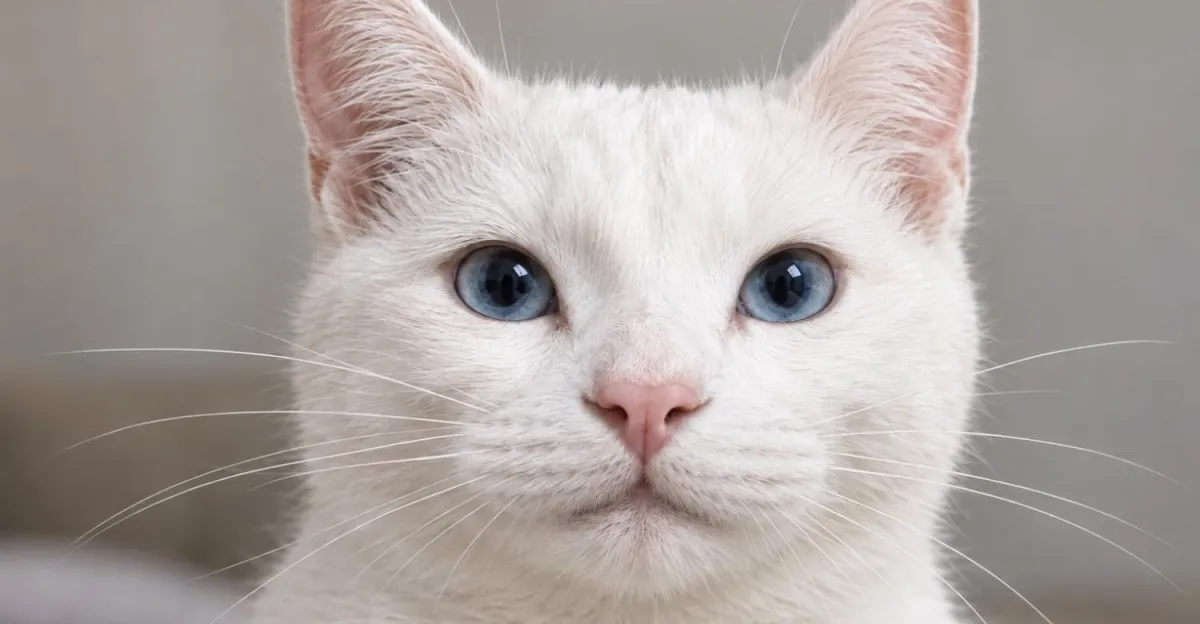
In OpenAI’s example-style workflow, a user could sketch a simple animal shape, ask for a photorealistic version, and then fine-tune details such as eye color or background style. That ability to steer the output incrementally is a notable part of the update because it reduces the need to regenerate images repeatedly from scratch.
What OpenAI says has improved in Images 2.5
OpenAI says Images 2.5 improves both output quality and speed. The company says the model generates images with more natural lighting and richer textures, which should make results feel more realistic and visually coherent.
It also claims the system is better at following editing instructions over multiple turns. That matters because many real-world image tasks are iterative: users rarely get exactly what they want on the first attempt, and a model that can remember and respond to successive edits is more practical than one optimized only for single-shot generation.
Perhaps the most eye-catching improvement is speed. OpenAI says image generation latency has been reduced by up to 50% compared with Images 2.0, which could make the feature feel more responsive in everyday use and less frustrating during repeated edits.
| Feature | What it does | Why it matters |
|---|---|---|
| Sketch | Lets users draw a doodle inside ChatGPT with @Sketch |
Makes image creation easier for non-designers |
| Image comments | Allows targeted edits on specific parts of an image | Speeds up refinement and reduces full regenerations |
| Natural lighting | Produces more realistic illumination | Improves visual quality and realism |
| Richer textures | Adds more detailed surfaces and material appearance | Makes outputs look less flat or synthetic |
| Faster latency | Reduces image generation time by up to 50% | Improves responsiveness during creative iteration |
How is this different from older image tools?
It is different because the user journey begins with a sketch, not only with text. Traditional text-to-image tools ask people to translate a visual idea into words first, which can be awkward for simple compositions or highly specific objects.
The new workflow also adds a more direct feedback loop. Instead of editing prompts and hoping for the right result, users can mark the image itself and tell ChatGPT what should change. That makes the process feel closer to working with a design collaborator than issuing commands to a black box.
For OpenAI, this is part of a broader trend in AI products: tools are moving from generic generation toward guided, multimodal creation. The goal is not just better outputs, but fewer steps between intent and result.
Who can use ChatGPT Images 2.5?
OpenAI says ChatGPT Images 2.5 is available now for ChatGPT, ChatGPT Work, and Codex users. The rollout covers desktop, mobile, and web, which gives the feature broad reach across the company’s main product surfaces.
That cross-platform availability is significant because visual creation often happens in different contexts. A user might brainstorm on a phone, refine a concept on a laptop, and reuse the same workflow in a workplace environment.
Why does availability across devices matter?
It matters because image generation tools are most useful when they are easy to access at the moment inspiration strikes. Broad device support reduces friction and makes it more likely that users will adopt the feature as part of their regular workflow rather than as a one-off experiment.
How does this fit OpenAI’s broader product strategy?
It fits a clear pattern: OpenAI keeps adding practical, multimodal tools that make ChatGPT more central to daily work. The company has been pushing beyond text answers toward an environment where users can create, edit, and refine content without leaving the app.
Image generation is a natural extension of that strategy. Visual output is one of the most widely used forms of AI creativity, and by pairing it with conversation, OpenAI can keep users inside its ecosystem for longer sessions and more complex tasks.
That also raises the competitive stakes. As rivals continue to improve their own image and editing features, the differentiator will increasingly be ease of use, speed, and how naturally a model can respond to partial instructions or iterative corrections.
What the update suggests about AI image generation
The update suggests that the next wave of AI image tools will be less about raw generation and more about interaction. Users do not just want a picture; they want a way to shape the picture progressively, with fewer failed attempts and less technical overhead.
Sketch addresses one of the most common limitations in AI art tools: the mismatch between how people think and how they are forced to describe a scene. A quick drawing is often closer to a user’s mental model than a paragraph of text, and that can improve the quality of the first draft immediately.
The addition of in-image comments reinforces the same idea. Users want direct control over individual details, not just a fresh batch of image variations. OpenAI’s changes are meant to support that more natural creative loop.
How the rollout could affect creative workflows
The rollout could change how people prototype concepts, especially in fast-moving environments where speed matters more than polished craftsmanship. A marketer could rough out an ad concept, a product team could sketch a mockup, or an educator could quickly generate a classroom illustration.
For those users, the benefit is not simply higher fidelity. It is the ability to move from idea to usable draft with fewer translation steps. That can save time and make image generation feel more like brainstorming than production.
Potential advantages for teams
- Faster concepting from rough idea to polished image
- Less dependence on specialized design software
- More precise revision cycles with part-specific comments
- Better collaboration in chat-based workspaces
Potential limitations to watch
- Sketch quality will still depend on the user’s intent and prompt clarity
- Complex scenes may require several rounds of refinement
- Real-world usefulness will depend on consistency across different devices and tasks
Timeline of the update
OpenAI’s announcement centers on a single release date, but the product changes themselves suggest a broader evolution in how the company is packaging generative media inside ChatGPT.
| Date | Development | Significance |
|---|---|---|
| Tuesday, Sept. 8, 2026 | OpenAI announces ChatGPT Images 2.5 and Sketch | Introduces sketch-based prompting and faster image generation |
| Launch day | Rollout begins on desktop, mobile, and web | Broadens access for ChatGPT, ChatGPT Work, and Codex users |
What users are likely to notice first
The first thing many users will notice is how forgiving the workflow feels. A messy doodle can become a surprisingly polished image, which lowers the pressure to produce a perfect prompt on the first try.
The second noticeable change is speed. If OpenAI’s latency claims hold up in normal use, people may spend less time waiting and more time iterating, which is exactly what creative tools need in order to feel fluid.
The third change is the editing experience itself. Being able to click or comment on a specific part of the image brings image generation closer to a direct manipulation workflow, which many users will probably find more intuitive than rewriting a text prompt each time.
Bottom line
OpenAI’s Sketch feature and ChatGPT Images 2.5 mark a meaningful step toward more interactive AI image creation. By combining doodles, targeted edits, and faster generation, OpenAI is making ChatGPT easier to use for both casual creators and professionals who need quick visual drafts.
The bigger story is not just that ChatGPT can now turn a bad drawing into a cleaner image. It is that OpenAI is trying to make image generation feel less like a specialized task and more like a natural part of conversation.
Frequently asked questions
What is Sketch in ChatGPT Images 2.5?
Sketch is a new ChatGPT feature that lets users draw a simple doodle inside the chat window and use it as part of an image prompt. OpenAI then turns that sketch into a more polished generated image, with the option to refine details afterward.
How do you use Sketch in ChatGPT?
You use Sketch by typing @Sketch into the chat box, which opens a drawing window. After sketching an idea, you can ask ChatGPT to render it in a specific style and then leave comments on parts of the image you want changed.
What improvements does ChatGPT Images 2.5 include?
ChatGPT Images 2.5 adds more natural lighting, richer textures, better multi-turn editing, and faster generation. OpenAI says image latency has been reduced by up to 50% compared with Images 2.0, making the tool more responsive.
Who can access ChatGPT Images 2.5?
ChatGPT Images 2.5 is available now for ChatGPT, ChatGPT Work, and Codex users. OpenAI says the rollout covers desktop, mobile, and web, so the feature can be used across its main platforms.