In short
OpenAI has added voice-based agentic tools to the ChatGPT mobile app, letting users start work tasks by speaking and continue them on desktop. The update expands paid users’ access to documents, email drafting, presentations and other productivity features.
- OpenAI brought voice-driven agentic features to ChatGPT mobile.
- Plus and Pro users get the full Work tab, while free and Go users get limited access.
- Users can now switch more easily between voice and text and resume work on desktop.
- The update follows OpenAI’s July GPT-Live launch and desktop rollout.
- Anthropic has also improved device handoffs, but OpenAI is keeping chat and workspaces separate.
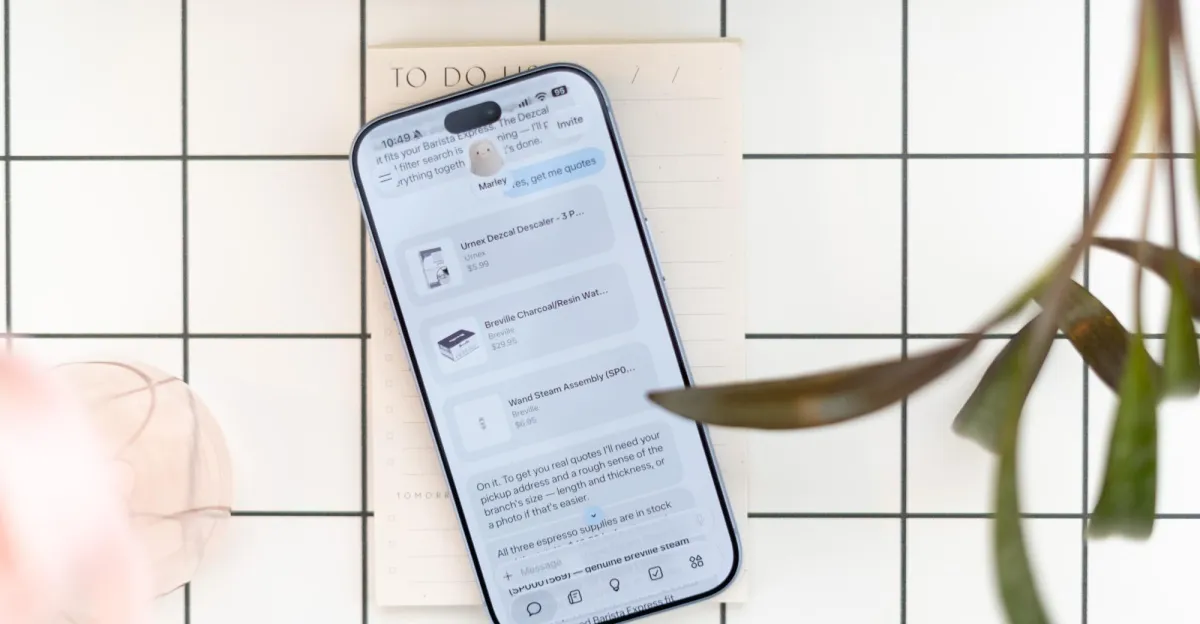
OpenAI has added voice-based agentic features to the ChatGPT mobile app, letting users on the move trigger tasks such as drafting emails, summarizing Slack messages and building presentations. The upgrade matters because it pushes ChatGPT further from a simple conversational assistant toward a mobile work tool that can carry out multi-step actions.
The rollout gives paying subscribers access to a new Work tab on phones, while free and Go users will get a lighter version centered on plugins and connected apps. It also makes it easier to start a task by voice on mobile and continue it later on desktop, signaling OpenAI’s effort to turn ChatGPT into a cross-device productivity platform.
OpenAI announced the change on Wednesday, expanding capabilities that had already reached desktop after the company introduced a new conversational model in July. The mobile update arrives as competitors race to make voice interactions feel less like simple dictation and more like a practical interface for getting work done.
What OpenAI changed in the ChatGPT mobile app
OpenAI has extended its voice-driven workflow tools to smartphones, allowing users to speak commands that can kick off work inside ChatGPT rather than just generate a response. The new mobile experience is designed to support tasks that involve multiple steps and different tools, including writing, organizing and light automation.
For Plus and Pro subscribers, the Work tab on mobile can now be used to create a document, draft an email, summarize Slack conversations and handle other productivity-oriented jobs. OpenAI says these users can also build websites, create presentations, use the cloud browser and access additional areas inside ChatGPT such as finance-related features.
Free and Go users are not getting the full Work tab capabilities. Instead, they will be able to interact with plugins and connected applications, which gives them a narrower but still useful bridge into ChatGPT’s broader ecosystem.
How the new mobile voice workflow works
The new system lets users speak naturally to ChatGPT and then move between voice and text more easily. OpenAI says voice conversations will now produce richer text output, which should make it simpler to review, edit and continue tasks after speaking them aloud.
That matters because voice in AI tools is increasingly being used for more than casual chat. Users are turning to it to kick off practical workflows while commuting, walking or otherwise away from a keyboard. OpenAI is clearly betting that the same behavior will now translate to more structured work inside its app.
OpenAI is framing the update as a way to let people begin work by voice on mobile and then pick up the same thread later on a desktop, rather than forcing them to start over.
One of the most notable changes is continuity. A task begun on the phone can be resumed on desktop, allowing users to move from conversation to document drafting or other work without losing context. That kind of handoff is becoming a key feature of AI productivity apps as they compete to own the user’s workflow across devices.
Why this update matters for mobile AI
This rollout is important because it reflects how quickly AI assistants are becoming action-oriented. The promise is no longer just answer generation; it is execution. On mobile, that shift is especially significant because the phone is where many users first encounter AI in daily life.
Voice is a natural fit for mobile because it reduces the friction of typing long prompts, especially when users are trying to do several things at once. A person can ask ChatGPT to summarize a chain of messages, draft a response or outline a presentation without opening a laptop or switching apps repeatedly.
It also positions OpenAI more directly against a wave of assistants that are trying to manage real tasks rather than simply respond to questions. The better these products become at handling work-like actions, the more they can justify becoming the default interface for knowledge work.
How OpenAI is differentiating from rivals
OpenAI is not alone in pushing voice and workflow continuity, but it is choosing a somewhat different product structure. The company is keeping chat and workspaces separate for now, even as it gives users easier ways to move between them.
Anthropic has recently made mobile-to-desktop handoffs simpler and has merged its Cowork and Chat experience, blurring the line between conversation and execution inside one interface. OpenAI, by contrast, is still maintaining a distinction between the main chat area and the work-oriented tools inside ChatGPT.
That separation may help users understand when they are brainstorming versus when they are actively producing something. It also suggests OpenAI believes there is value in preserving a more organized workspace model rather than collapsing everything into a single conversational stream.
| Group | Mobile access | Main features | Likely use case |
|---|---|---|---|
| Plus and Pro | Full Work tab | Documents, email drafts, Slack summaries, websites, presentations, cloud browser, finance areas | End-to-end productivity and task execution |
| Free and Go | Limited access | Plugins and connected apps | Lightweight assistance and app-connected workflows |
| All users | Voice interaction | Richer text output and easier switching between voice and text | Hands-free prompting and task continuation |
What changed after GPT-Live launched in July?
The mobile rollout builds on OpenAI’s earlier work this year to make voice a more central part of ChatGPT. In July, the company launched its conversational model GPT-Live, then brought it into the desktop app so users could complete tasks through voice in the Work tab or build apps in the Codex tab.
The new phone update essentially mirrors that desktop direction on a smaller screen. Instead of voice being treated as a side feature, it is now being woven into a broader set of agent-like actions that can begin on one device and continue on another.
This progression shows OpenAI’s larger product strategy. The company is not merely making ChatGPT more chatty; it is trying to make it more operational. Voice is becoming one of the easiest ways to initiate that experience.
Why voice is becoming the front door to agentic AI
Voice lowers the barrier to entry for complex AI tasks because it feels closer to asking a coworker for help than filling out a form. That matters when the task involves several layers of intent, such as “summarize this thread and turn it into an email response.”
It also expands when and where AI can be used. People can issue commands while in transit, multitasking or away from a desk, which increases the chances that the assistant becomes part of the user’s routine rather than a tool used only at a computer.
In that sense, the move is as much about convenience as it is about capability. The more friction OpenAI removes from initiating and continuing work, the more likely users are to lean on ChatGPT for everyday productivity.
Who gets the new features first?
The most complete version of the new mobile experience is reserved for Plus and Pro customers. Those subscribers get access to the Work tab and the broadest range of task-oriented tools in ChatGPT’s mobile app.
Free and Go users are included in the rollout, but with reduced functionality. They can work with plugins and connected apps, which gives them some integration benefits without the deeper document, presentation and browsing tools available to paying users.
This tiered approach follows a familiar pattern in OpenAI’s product releases. The company often uses new capabilities to reinforce the value of paid subscriptions while still giving free users a path into the ecosystem.
- Plus and Pro: Full Work tab access on mobile.
- Free and Go: Plugins and connected apps.
- All users: Easier switching between voice and text.
- Cross-device continuity: Start on mobile, finish on desktop.
What this means for ChatGPT’s future
The mobile update suggests OpenAI sees ChatGPT less as a chatbot and more as a multi-surface work environment. By bringing agentic voice functions to phones, the company is extending the service into the place where many users are most likely to act quickly on an idea.
That has strategic implications. If users can rely on ChatGPT to create content, summarize communications, browse the web and hand off tasks between devices, then the app becomes more embedded in daily work. The result could be stronger retention and deeper subscription value.
It also puts pressure on OpenAI to make the experience feel reliable. As AI assistants become more capable, users will expect them to behave less like experimental features and more like stable software tools.
What to watch next
The most important question now is whether OpenAI will keep separating chat and workspaces or eventually move toward a more unified interface. For now, the distinction remains, but the new mobile rollout narrows the gap between talking to ChatGPT and using it to complete real work.
Another area to watch is whether the company expands the mobile Work tab to more users or more regions, and how quickly competitors respond with their own voice-based task systems. As the market shifts, the winner may be the assistant that makes the handoff between conversation and action feel the most natural.
For users, the practical takeaway is simple: ChatGPT on mobile is no longer just a place to ask questions. It is becoming a place to start work, move through it by voice, and finish it somewhere else.
| Milestone | What happened | Why it mattered |
|---|---|---|
| July 2026 | OpenAI introduced GPT-Live | Brought conversational voice into a more task-oriented experience |
| Later in July 2026 | Voice tools reached the desktop app | Enabled voice-based work in the Work tab and app building in Codex |
| September 2026 | Voice-based agentic features came to mobile | Extended task execution and device handoff to phones |
In a crowded AI market, that combination of voice, mobility and workflow continuity may be just as important as raw model quality. OpenAI’s latest move shows it understands that the next phase of AI competition is about utility, not just intelligence.
Frequently asked questions
What new features did OpenAI add to ChatGPT mobile?
OpenAI added voice-based agentic features that let users trigger work tasks on mobile, including drafting documents, summarizing Slack messages and creating emails. The update also improves voice-to-text output and makes it easier to continue tasks on desktop.
Who gets the full new ChatGPT mobile Work tab?
Plus and Pro subscribers get the full Work tab on mobile. They can use it for documents, email drafts, Slack summaries, presentations, websites, cloud browsing and some finance-related features inside ChatGPT.
Can free ChatGPT users use the new mobile features?
Yes, but with fewer capabilities. Free and Go users will be able to use plugins and connected apps, which offers limited workflow access compared with the broader tools available to paid subscribers.
How is this different from OpenAI’s desktop rollout?
This is the mobile version of capabilities OpenAI already introduced on desktop after launching GPT-Live in July. The key difference is that users can now start voice-driven tasks on their phone and resume them later on a computer.
Why is OpenAI adding voice to ChatGPT mobile now?
OpenAI is responding to growing user demand for voice as a practical way to issue complex AI commands. The company appears to be betting that mobile voice interactions will become a primary entry point for agentic AI workflows.