Updated September 1, 2026 8:54 pm
In short
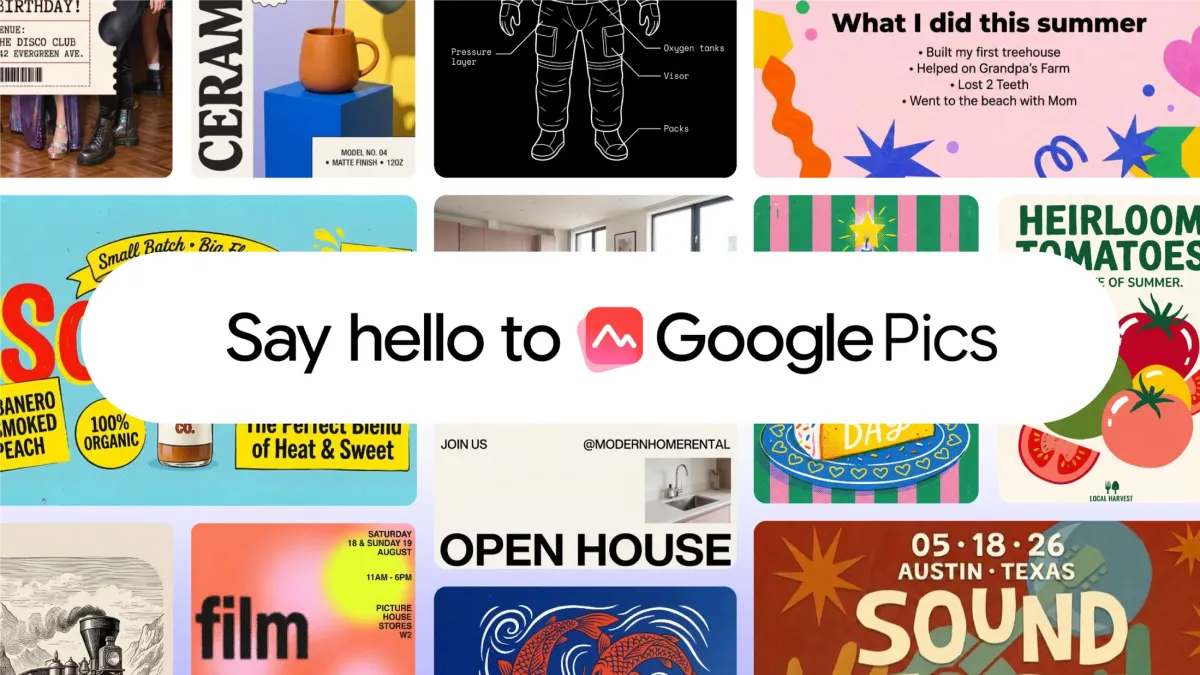
Google is launching Pics in Workspace as a prompt-first AI design tool for everyday visuals, beginning with Docs and Slides and expanding later to Drive.
- Google Pics is launching inside Workspace for Docs, Slides and later Drive.
- The tool uses Google’s Nano Banana model for prompt-based image creation and editing.
- It targets everyday business visuals like posters, social graphics and presentation assets.
- The product competes with Canva and Adobe Express but emphasizes AI generation over template design.
- Rollout starts now and expands over the coming weeks to most Workspace and premium AI users.
Update — September 1, 2026 8:54 pm
Google says Pics will first appear in Docs and Slides starting today, rather than over a broader window. Drive is still on the roadmap for a later rollout.
The company also adds that the tool can generate multiple versions of an image and lets teams work on edits together, with built-in options to isolate objects, change text inside images, and translate it.
Google is rolling out Google Pics, a new AI-powered image creation and editing tool for Workspace customers and paid Google AI subscribers, marking its clearest move yet into the everyday design software market. The product matters because it puts Google into direct competition with Canva and Adobe Express while also showing how generative AI is moving deeper into office software.
Google says Pics will arrive over the coming weeks for most Workspace users and for subscribers to Google AI Pro and Ultra. The tool is powered by the company’s Nano Banana image model and is designed to handle common visual tasks such as posters, social graphics, and illustrations without requiring users to build layouts or assets by hand.
Rather than positioning the product as a conventional design platform, Google is framing it as a prompt-first creation tool. That approach could make it easier for non-designers to produce polished images quickly, but it also raises the same questions now following every AI creative product: how much control users really have, what happens to professional design workflows, and where the line falls between assisted creation and automated generation.
What Google Pics is and why it matters
Google Pics is an image generation and editing experience that lives inside Google Workspace, starting with Docs and Slides before later expanding to Drive. In practical terms, it gives business users and premium AI subscribers a built-in way to generate visuals, edit images, and create presentation-ready content from simple prompts.
The launch is important because Google has long dominated productivity software through Workspace, but it has not had a native answer to Canva’s lightweight design environment. By placing an AI-driven image tool directly into the documents and presentation apps millions already use, Google is trying to make visual creation feel as routine as writing an email or drafting a deck.
The company’s timing also reflects a broader market shift. Design software is no longer only about drag-and-drop templates and manual editing. Increasingly, vendors are competing on how well they can turn a sentence into a usable visual asset. Google Pics is the latest example of that trend and one of the clearest signs that generative AI is becoming a core feature of mainstream business software rather than a standalone novelty.
How it differs from Canva and Adobe Express
Google is not trying to copy Canva point for point. Canva’s model relies heavily on a vast template ecosystem and a marketplace where creators can publish graphics, photos, and design assets in return for royalties. Google Pics does not follow that template economy. Instead, it focuses on AI generation, with the system producing content from the model rather than from a creator marketplace.
It also differs from Adobe Express, which is commonly used by creators who want more traditional design control. Google Pics is aimed less at composing designs from scratch and more at prompting the system to generate what the user wants. That makes it easier to use for quick business needs, but less of a blank-canvas design environment than Adobe’s tools.
Google’s pitch, in essence, is that users should be able to ask for a visual and get a usable result quickly, instead of manually building every element themselves.
How Google Pics works inside Workspace
Google Pics is being embedded into the tools workers already use most often, beginning with Docs and Slides. That integration matters because it removes the friction of opening a separate app, exporting assets, or switching between platforms just to produce a simple illustration or presentation visual.
Once the rollout reaches users, they will be able to generate images for practical work tasks such as internal announcements, event posters, social media graphics, and slide art. The product is also meant to support personal use cases, which broadens its appeal beyond corporate teams.
Google says the system can produce multiple image variations at once, allowing users to compare outputs and choose the one that best fits their needs. It also includes collaboration features, which should be useful for teams revising marketing materials or presentation assets together.
What editing features are included?
The product is not limited to generation. Google says Pics also includes tools for isolating and transforming objects, modifying text that appears within images, translating text inside an image, and carrying out other common edits.
Those tools are especially relevant for workplace use. Business users often need to resize, rewrite, localize, or adapt a graphic after it has been created. By folding those functions into one product, Google is trying to make Pics useful not only for first drafts but also for quick production changes.
- Generate images from prompts
- Create posters and social graphics
- Edit objects inside existing images
- Change or translate text in images
- Review multiple generated versions
- Collaborate on edits with teammates
Why Google chose a prompt-first design model
Google’s decision to emphasize prompting over manual design reflects the company’s bet that AI will lower the barrier to visual creation. Many employees need graphics occasionally, not professionally, and often do not want to spend time learning a design platform for a one-off task.
That makes Workspace a natural home for the feature. If a manager is already drafting a memo in Docs or building a presentation in Slides, the ability to request an image inside the same environment can speed up content creation dramatically. For Google, that convenience is part of the strategy: the company wants users to stay inside its ecosystem for more of their workflow.
There is also a broader competitive logic. Microsoft has been adding AI features across its productivity products, and Google has been under pressure to show that its own suite can match the speed and breadth of those changes. A design tool embedded in Workspace is another way to demonstrate that AI can be woven into everyday office tasks rather than isolated in a chatbot window.
What this means for creative professionals
For designers, the launch is both useful and unsettling. On one hand, teams can move faster and prototype ideas without waiting on a specialist for every small request. On the other, products like Google Pics could reduce the demand for some routine design work, especially lower-complexity assets such as social posts, internal slides, and event graphics.
The biggest shift may be in expectations. When workers become accustomed to generating polished visual ideas in seconds, they may come to see custom design as something reserved for higher-value projects. That could concentrate professional design work on branding, campaigns, and other tasks where originality and strategic judgment matter more.
What is Nano Banana and why does it matter?
Nano Banana is the image generation model behind Google Pics, and it is the engine that makes the product’s prompt-based workflow possible. Google is not describing the full technical stack in detail here, but the model is central to how the tool creates and modifies images quickly enough for everyday use.
The model name is notable because it signals that Google is building a family of specialized AI systems for different tasks, rather than relying on one general-purpose model for everything. That is consistent with the company’s wider AI strategy, which has increasingly emphasized practical applications inside consumer and enterprise products.
By tying Pics to a proprietary model, Google also keeps control over quality, safety, and product behavior. That is especially important in a business setting, where users will expect consistent output and predictable editing tools rather than experimental results.
| Feature | Google Pics | Canva | Adobe Express |
|---|---|---|---|
| Primary workflow | Prompt-first AI generation and editing | Template-driven design with marketplace assets | Design and content creation from scratch |
| Distribution | Built into Google Workspace | Standalone design platform | Standalone design platform |
| Core use case | Fast workplace visuals | Templates, brand assets, social content | Professional and creative design tasks |
| Asset ecosystem | AI-generated output | Creator marketplace with royalties | Design-focused editing tools |
| Initial availability | Workspace, Google AI Pro, Google AI Ultra | Widely available product tiers | Widely available product tiers |
Who gets access first?
Google says the rollout will reach most Workspace customers and users who subscribe to Google AI Pro or Ultra over the coming weeks. That places the product squarely in Google’s paid ecosystem rather than as a free consumer experiment.
The phased release is also a signal that Google is treating Pics as a serious productivity feature, not a side project. Starting with Workspace and premium AI plans lets the company target customers who are already paying for advanced capabilities and are more likely to use image generation in work settings.
Docs and Slides get the feature first, with Drive coming later. That sequence suggests Google wants to put the tool where content is actively created and presented before extending it to storage and file management.
Why the business audience comes first
Business users are easier to monetize and often have immediate demand for quick graphics, branded materials, and presentation visuals. They also provide a useful proving ground for quality and workflow integration. If Pics works well in Workspace, Google can later use that success to justify broader consumer-facing creative tools.
There is also a brand reason. Generative image tools remain controversial in some creative circles because they are trained on large data sets that include artists’ work. Launching within Workspace lets Google frame the product as a productivity feature for paying customers rather than as a mass-market replacement for designers.
How does Google Pics fit into the AI market?
Google Pics fits into a fast-growing category of AI products that blur the line between text generation, image creation, and office software. Over the past two years, generative AI has evolved from a chatbot-only experience into a feature embedded across documents, emails, spreadsheets, search, and presentation tools.
That progression has strategic consequences. The companies that control productivity suites have an advantage because they can distribute AI features to users where they already work. Google, Microsoft, and Adobe are each trying to prove that their AI products are not just clever demos but practical tools that save time and improve output.
For Google, the competition is especially intense. Workspace users expect native integration, speed, and reliable output. If Pics can help them produce high-quality visuals without leaving Docs or Slides, Google gains a reason for customers to stay within its ecosystem instead of turning to standalone design apps.
The larger creative software shift
The launch also reflects a changing definition of “design software.” In the past, design platforms were judged largely on editing controls, template libraries, and asset management. Today, they are increasingly evaluated on how well they translate intent into content.
That change favors companies with strong AI models and deep platform integration. It also means the user journey is becoming simpler: instead of choosing from hundreds of templates, many users now expect to ask for a starting point and refine it from there.
- AI lowers the technical barrier to design.
- Office suites become content-creation hubs.
- Standalone tools compete on convenience and quality.
- Businesses expect faster turnaround on everyday assets.
What questions remain about AI-generated design?
Several questions remain, even with Google’s rollout underway. The first is quality: can the system consistently produce visually useful results for a wide variety of business contexts? The second is control: will users be able to fine-tune outputs enough to meet brand guidelines and communication standards?
There are also longer-term concerns around originality and training data. Google’s source material notes that Canva’s ecosystem rewards creators through royalties, while Google Pics is based on AI trained on artists’ work. That distinction is likely to keep the debate over creative labor and attribution alive as more companies adopt generative image tools.
For now, Google appears to be betting that many users care less about authorship mechanics than about speed and convenience. If the product makes it easy to produce a decent visual in seconds, that may be enough to win adoption in offices where design skills are uneven and turnaround times are short.
In practical terms, Google is trying to make image creation feel like part of the document workflow, not a separate creative discipline.
Timeline: how the rollout is unfolding
Google is staging the launch across products and customer groups rather than turning everything on at once. That approach gives the company time to monitor usage and refine the experience as it expands.
| Stage | Availability | What changes |
|---|---|---|
| Initial announcement | Sept. 1, 2026 | Google unveils Pics as a Workspace-integrated AI design tool |
| First rollout | Today | Docs and Slides begin receiving the feature |
| Expanded rollout | Coming weeks | Most Workspace customers and Google AI Pro/Ultra subscribers get access |
| Later expansion | After initial release | Google Drive support is added |
Bottom line for users and competitors
Google Pics is more than another AI image generator. It is an attempt to make prompt-based design a standard part of workplace software, and it lands at a moment when AI features are becoming a deciding factor in which productivity platform businesses choose.
For users, the tool could make everyday visual work faster and easier. For competitors, it raises the pressure to offer deeper AI integration without sacrificing control or design quality. And for the broader market, it is another sign that the next phase of AI competition is not just about chat, but about the software people use to get actual work done.
Frequently asked questions
What is Google Pics?
Google Pics is Google’s new AI-powered image creation and editing tool for Workspace and paid Google AI users. It lets people generate visuals from prompts, edit image elements, and create work-ready graphics directly inside Google’s productivity apps.
When will Google Pics be available?
Google says Google Pics will roll out over the coming weeks to most Workspace customers and to subscribers to Google AI Pro and Ultra. The first integration begins in Docs and Slides, with Drive support coming later.
How is Google Pics different from Canva?
Google Pics is different from Canva because it is prompt-first and AI-generated rather than template- and marketplace-driven. Canva emphasizes creator-made assets and royalties, while Google Pics focuses on generating images inside Workspace for quick workplace use.
What can users do with Google Pics?
Users can create posters, social media graphics, illustrations and other visuals, then refine them with editing tools. Google says the software can isolate objects, change text within images, translate text and generate several versions of the same request.
Why is Google launching an AI design tool now?
Google is launching an AI design tool now because creative work is becoming a major frontier in the productivity-software market. By embedding Pics into Workspace, Google aims to keep users inside its ecosystem while competing more directly with Canva and Adobe Express.